Thursday, January 9, 2014

Another Widget for my iPhone

The jailbreak for iOS 7 has been released for near a month now. New tweaks keep pouring in.
One of the latest tweaks which I love a lot is "Live Weather Icon".
It changes the static icon picture of the stock Weather app into a live animated update of the weather condition of the current location.

It shows three information:
1) the weather condition, eg Cloudy
2) an animated image such as raining droplets and moving cloud, etc
3) the temperature

It's particularly useful for me as the workplace that I work in doesn't have windows and I've no vision to whether it's raining or now.

And when I put this icon beside the stock live Clock on the first home page, it feels right at home!


Friday, November 15, 2013

Love the iOS 7 Control Centre

So I've returned to iPhone after a disastrous experience with the HTC One.


Love the translucent overlay of the Control Centre over the background image.
This particular one is nice!

Saturday, August 3, 2013

iPhone Photography at the Neighbourhood Park

I was having a relaxing time in the neighbourhood park on a cooling Sunday morning and decided to start a "iPhone Photography" post to share some nice pictures I've taken there.

Here's a close up shot of a nice flower:

And another one showing some big red ants having their morning work routine:

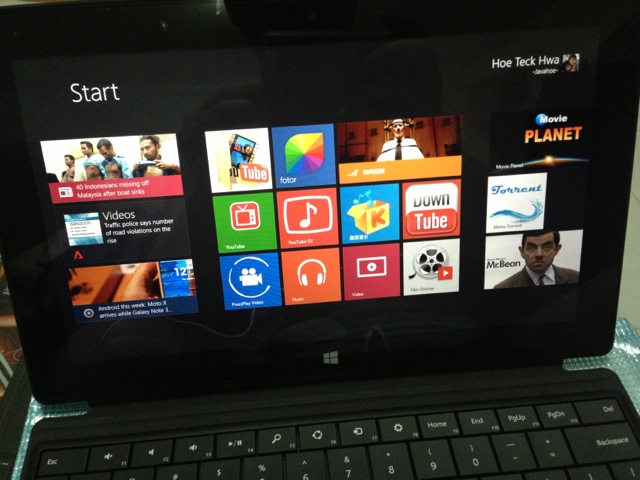
Quick Review of my Surface RT


Here's a real quick thought of my newly-purchased Microsoft Surface RT.

Good points:
  • Great for videos. Better than my iPad 3 as it's wide screen.
  • It can read/write to portable harddisk!
  • You can view Music videos from YouTube using IE. Mobile tablet like iPad cannot play YouTube music videos of well-known artistes now as they are blocked by YouTube.
  • Some settings like wallpaper are synchronised for both the rt and my normal laptop running windows 8 and using the same hotmail id to sign in both.
  • With a desktop Microsoft Office program built-in together with my separately-purchased "Type Cover Keyboard", it really makes the RT a great productivity tool.

Bad points:
  • The number of good apps is pathetic!
  • It cannot run normal desktop .exe programs. 
Fortunately, the community has come out with a "jailbreak" utility to allow the RT to run desktop programs.  There's a catch though.  These programs must be built and compiled for the ARM architecture that the RT is made with.

Without doubt, I jailbroke my RT without delay.
There are not many RT-compatible desktop programs now. Only few like 7zip, notepad++, FileZilla and several more are available now.

Overall, I'm satisfied with the RT as I'm not buying it to replace my laptop, but as a better capable tablet.

Wednesday, July 31, 2013

Updates to Jovial Clipboard (version 1.0)


Gonna add the followings in the coming release:
1) fix timestamp display issue for AM
2) add exporting of clips to filesystem

Here's the URL to the project:
http://sourceforge.net/projects/jovialclipboard/

Wednesday, July 24, 2013

Update to Jovial Clipboard (My 2nd C# Freeware Project)


I've promoted Jovial Clipboard from alpha stage to beta.
Which means essential features are all in.

Clips entries have also been increased to 20.
Deletion of individual entry is also added in this version.

In the next version, which I will probably strip off the "beta" tag, I'll add in the saving of Clips to storage.


Here's the URL to this freeware of mine:

https://sourceforge.net/projects/jovialclipboard

Monday, July 22, 2013

My 2nd C# Project

Continuing the great momentum of my recently-released C# project, "Jovial Notepad", I've started on a new "Jovial" C# program.
It will still be a small little utility.
I will be releasing as "per-alpha" release to sourceforge.net tonight.
I think this will also be a useful freeware to all.